Keyboard Shortcuts
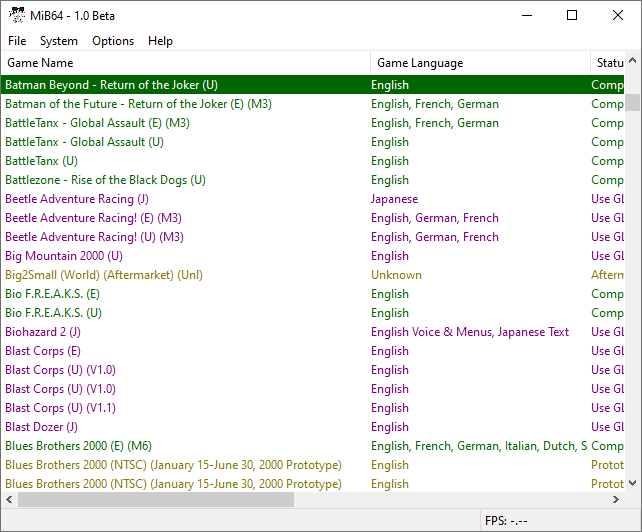
Hover to zoom
This section will take you through keyboard shortcuts in MiB64.
Notes:
- The shortcut keys available to you depend on the state of the emulator (mirrors availability of the associated menu items).
- Remember you can also navigate the menus with the ALT+(key) indicators, e.g. by default ALT+F opens the file menu, then pressing S would Start Emulation (these keys are set up by the language file so they depend on the file and your current language selection).
- Note that CTRL+ key combinations open dialogues while F(function) keys have instant effects. F-key shortcuts are available while fullscreen but CTRL+keys are not.
- You cannot change the shortcut keys in MiB64 (but if you have a gamepad with lots of buttons and good software you could map to those).
Available in browser and during emulation:
| Action | Shortcut |
|---|---|
| open Game dialog | CTRL+O |
| settings dialog | CTRL+T |
| quit application | ALT+F4 |
| start emulation | F10 |
| end emulation | F11 |
Available only during emulation:
| Action | Shortcut |
|---|---|
| switch fullscreen/windowed | ALT+ENTER / Escape |
| reboot Game | F1 |
| pause/resume emulation | F2 |
| generate bitmap | F3* |
| enable/disable speed limiter | F4* |
| state quick save | F5 |
| state save dialog | CTRL+S |
| state quick load | F7 |
| state load dialog | CTRL+L |
| select quick state save slot | 0–9 |
| game details (name, size etc) | CTRL+I |
| game information (GDX Game Page) | CTRL+G |
| always on top toggle | CTRL+A |
| cheat dialog | CTRL+C |
| cheat search | CTRL+R |
| configure graphics plugin | CTRL+V |
| configure audio plugin | CTRL+U |
| configure rsp plugin | CTRL+W |
| configure settings | CTRL+T |
| gs button (gameshark button) | F9 |
Available only in Game Browser:
| Action | Shortcut |
|---|---|
| refresh | F5 |
| jump to top | Home |
| jump to bottom | End |
| up one page | Page Up |
| down one page | Page Down |
| up one line | Up arrow |
| down one line | Down arrow |
| jump to Game starting with… | 0–9 A–Z |
| start selected game | Enter |
| open menu | right mouse button |
| edit cheats | right mouse button* |
*only available in Advanced mode.