Configuration: Game Selection
Hover to zoom
This tab is only available if Hide Advanced Settings is unchecked!
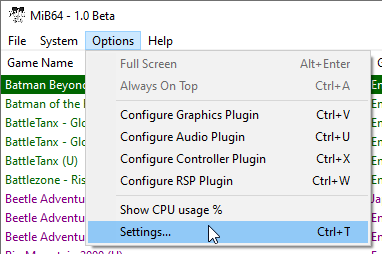
Options → Settings → Game Selection
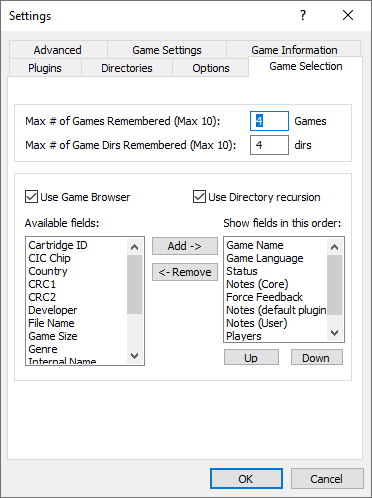
Game Selection Options
- Max # of Games Remembered (Max 10) - These are shown in File > Recent Games.
- Max # of Game Dirs Remembered (Max 10) - These are shown in File > Recent Game Directories.
- Enable/Disable the Browser completely by toggling the Use Game Browser checkbox
- Enable/Disable Directory Recursion by toggling the Directory Recursion checkbox
- Add or Remove fields from the Browser by selecting (click on) the field you want to add or remove and clicking the Add or Remove button.
- Change the order of fields by clicking the field you want to move and clicking Up or Down. Top to bottom in the window represent Left to Right in the browser.
Browser Customisations
The following customisations can be made from within the browser itself:
- Resize the browser window by dragging the window edges
- Maximise/Restore the browser window with the maximise/restore button
- Resize the width of any column by dragging the edge of the column header
- Sort by any column by clicking inside the column header. You can sort in either direction by repeated clicking.