Configuration: Directories
Hover to zoom
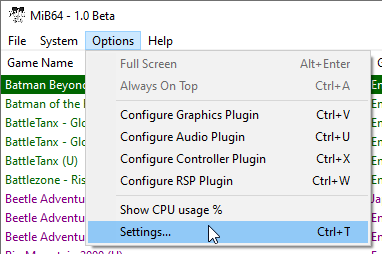
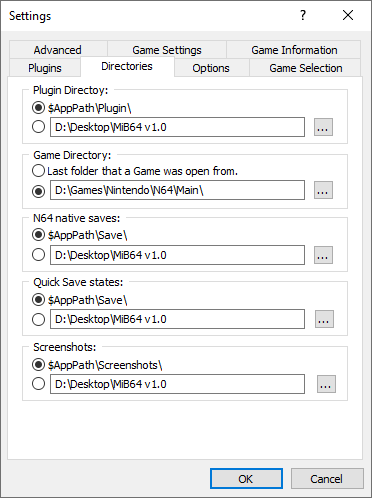
Options → Settings → Directories
N.B. It is purely a matter of personal preference how you set these folders,
but you must have the Plugin folder set correctly for MiB64 to start up properly.
If valid plugins aren’t found at the configured path when MiB64 starts, you cannot launch games.
This is by design—plugins are essential.
You can still access Options to correct the paths.
Folder Types
MiB64 allows you to configure up to five directories:
-
Plugin Directory
All plugins must be placed together in one folder.
Default:\Plugin\subfolder of the main MiB64 folder. -
Game Directory
MiB64 remembers the last used folder by default.
You can force it to always use a specific folder. -
N64 Native Saves Directory
All native save types will be placed here.
Default:\Save\subfolder of the main MiB64 folder. -
Quick Save States Folder
All state slot files will be placed here.
Default: same folder as native saves. -
Screenshots Directory
Used by the video plugin for screenshots.
Default:\Screenshots\subfolder of the main MiB64 folder.
Each folder can use either a default path or a custom one.
You can type a path directly or browse using the “…” button.
Press OK to confirm and save your changes.